- Introduction of the Home Automation project
- Part 2: Setting up the Raspberry Pi
- Part 3: Building the control box
- Part 4: Securing the software
- Part 5: Public access to the service
- Part 6: Setting up the app
Finally it is time to install and configure the actual app to use the setup built in the previous five posts. The app can be downloaded here.
Create the database and entries
mysql -u root
USE homeautomationdb;
INSERT INTO `SENSOR`(`PK_SERIAL_NUMBER`, `TYPE`, `UNIT_OF_MEASUREMENT`) VALUES ("DHT22Temp", 0, "°C");
INSERT INTO `SENSOR`(`PK_SERIAL_NUMBER`, `TYPE`, `UNIT_OF_MEASUREMENT`) VALUES ("DHT22Hum", 1, "%");
INSERT INTO `SENSOR`(`PK_SERIAL_NUMBER`, `TYPE`, `UNIT_OF_MEASUREMENT`) VALUES ("CPU Temp", 0, "°C");
INSERT INTO `PLUG_SOCKET`(`PK_PLUG_NUMBER`, `DEVICE`, `STATUS`) VALUES (1, "Device 1", 0);
INSERT INTO `PLUG_SOCKET`(`PK_PLUG_NUMBER`, `DEVICE`, `STATUS`) VALUES (2, "Device 2", 0);
INSERT INTO `PLUG_SOCKET`(`PK_PLUG_NUMBER`, `DEVICE`, `STATUS`) VALUES (3, "Device 3", 0);
INSERT INTO `PLUG_SOCKET`(`PK_PLUG_NUMBER`, `DEVICE`, `STATUS`) VALUES (4, "Device 4", 0);
Register the app in the backend application
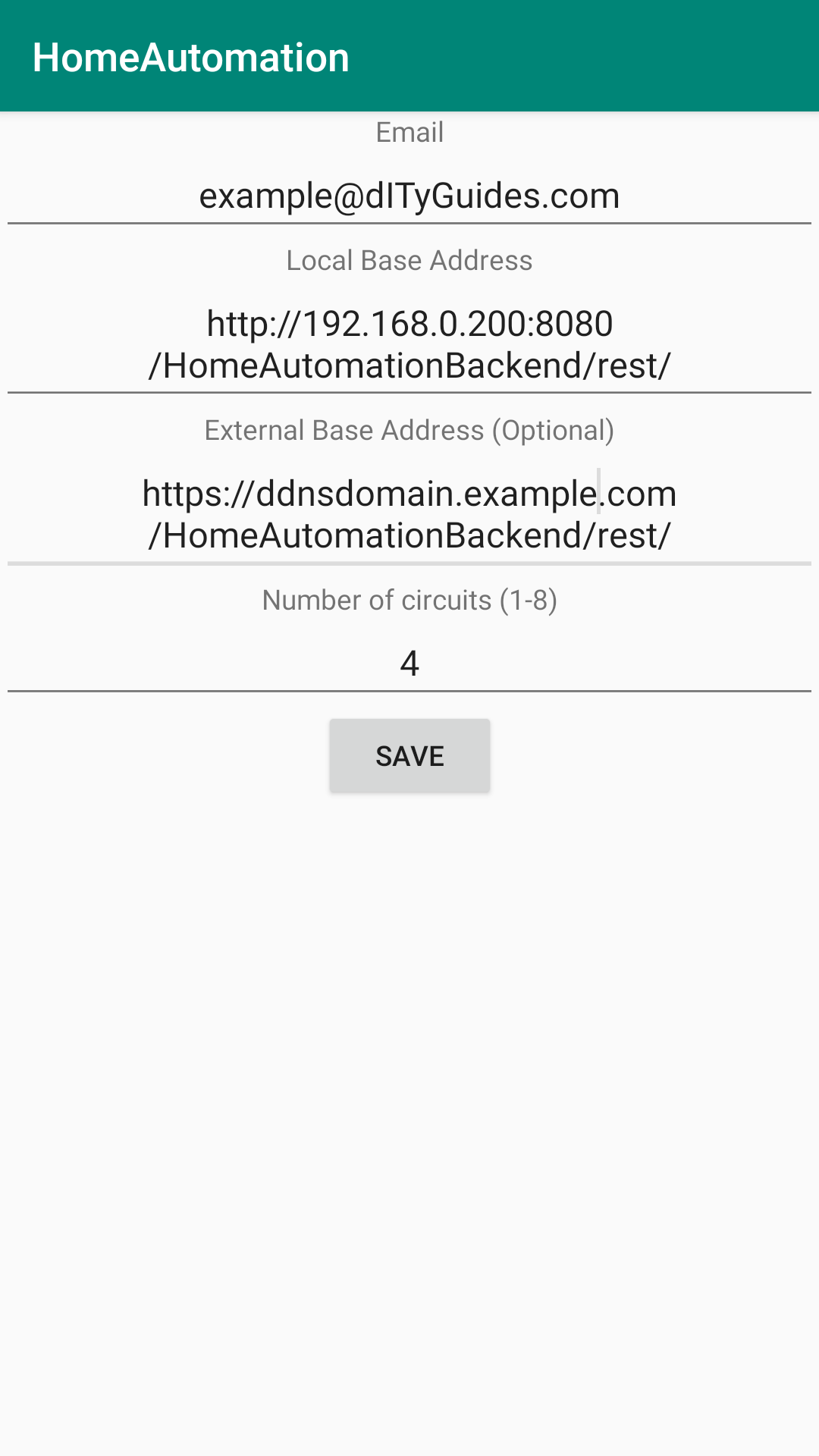
To access the backend, the app must be configured. At the first start the app already shows the settings menu, where the following data must be entered.
- Email: As there should be only a handful of registered users, the account information is encrypted and sent per mail and the admin must decrypt and enter them into the database manually. This method might be changed to an mobile TAN procedure in future releases.
- Local Base Address: The local address of the Raspberry Pi + Tomcat port + path of the REST interface. For example http://192.168.0.200:8080/HomeAutomationBackend/rest
- External Base Address: The external address of the DDNS service + Tomcat port + path of the REST interface. For example https://ddnsdomain.example.com:8443/HomeAutomationBackend/rest
- Number of circuits: This is the number of plug sockets which should be controled by the app. Change the number depending on how many circuits are actually installed.
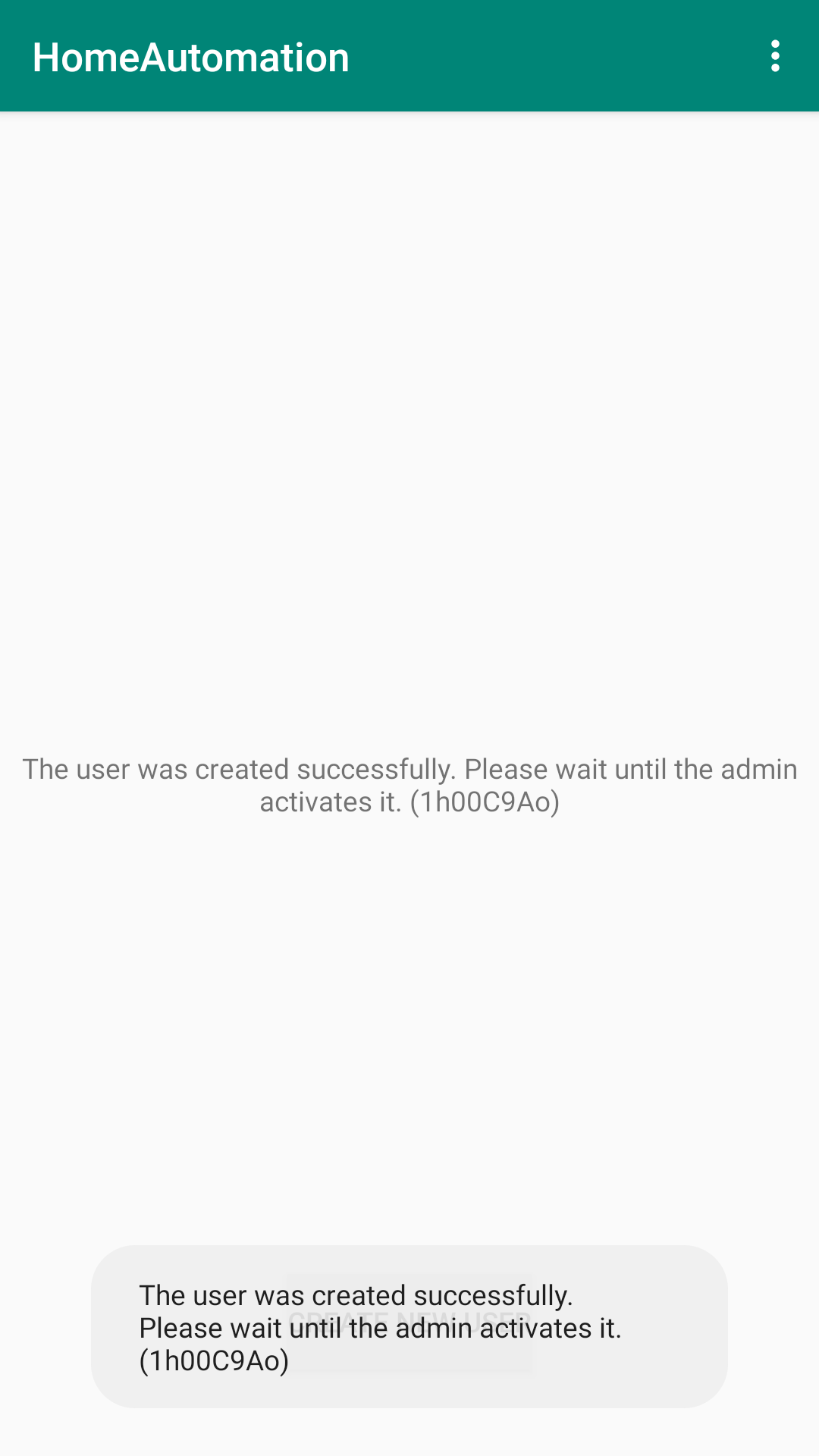
After configuring the app send the E-Mail to the configured address. The administrator now has to activate the user in the database by using these commands (with actual user instead of “1h00C9Ao”):
mysql -u root
USE homeautomationdb;
UPDATE `USER` SET `ACTIVATED`= 1 WHERE `PK_EMAIL` = "1h00C9Ao";
That’s it! Thank you for reading all 6 Posts of this project. Feel free to leave a feedback in the comment section below and good luck at building your own Remote-Control-Box!